Working Across the Atlantic: Virgin Starlink vs BA Wi-Fi
If you have a daytime flight to the US East Coast, that is a full working day. Losing eight hours of productivity because your plane’s internet cannot handle a simple email attachment is infuriating. As of June 2026, the gap between the UK’s two major long-haul carriers has widened into a chasm. Virgin Atlantic has just finished wiring its entire Airbus A350-1000 fleet with Starlink. Meanwhile, British Airways has paused its own Wi-Fi upgrades right after quietly hiking the cash fees on Avios redemptions.
For readers sitting on hefty Amex Membership Rewards balances, deciding where to transfer those points has changed. The guarantee of fibre-like internet on a Virgin A350 is now a massive tie-breaker for daytime outbound flights. Here is exactly how the two airlines compare right now, and how to make sure you can actually work on your next trip.
Why Virgin’s A350 Starlink rollout changes the game in 2026
Virgin’s A350s now use Low Earth Orbit (LEO) Starlink satellites delivering 50 to 100 Mbps per device with latency as low as 20 to 40 milliseconds, making them the only reliable option for working transatlantic flights right now. As of this month, Virgin Atlantic has completed the hardware installation across all of its flagship Airbus A350-1000 aircraft.
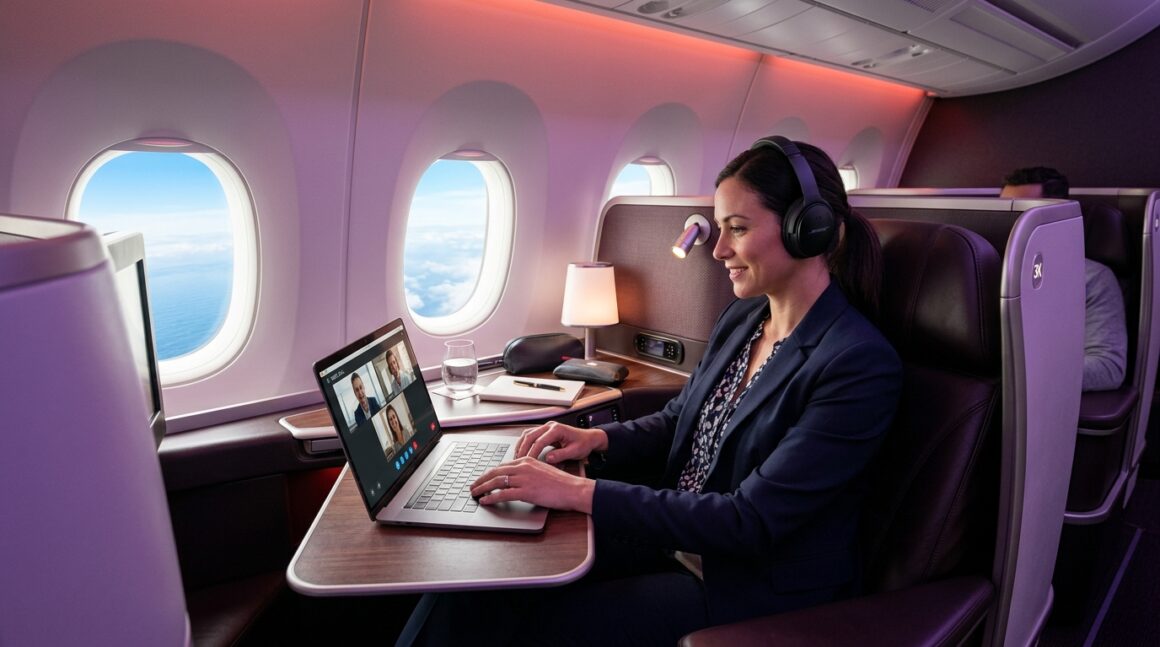
Speed is great, but latency is the metric that actually matters when you are trying to work. Latency is the time it takes for data to travel from your laptop to the satellite and back. Because Starlink satellites orbit much closer to the earth than traditional satellites, the delay is practically unnoticeable. You can load complex web apps, sync heavy Dropbox folders, and even join a Microsoft Teams video call without the agonizing lag that usually plagues inflight internet.
I have tested this extensively over the past few weeks. The connection feels exactly like sitting in a decent coffee shop in London. You forget you are over the middle of the Atlantic Ocean. For a business traveller, getting eight hours of uninterrupted work done before landing at JFK is incredibly valuable.
British Airways pauses Wi-Fi upgrades while raising Avios fees
British Airways has officially halted its next-generation Wi-Fi rollout due to supply chain friction, leaving roughly 30% of their long-haul fleet stuck with legacy systems right after raising Avios cash surcharges. If you end up on an un-refitted Boeing 787 or an older 777, you are dealing with legacy Intelsat or Panasonic systems.
These older setups use geostationary satellites parked thousands of miles further out in space. The result is a latency of 600+ milliseconds. Your download speeds cap out around 1 to 5 Mbps on a good day. It is enough to send an iMessage or load a plain text email, but anything heavier will time out.
The timing of this is frustrating for loyal BA flyers. On 27 May 2026, British Airways increased the cash component required for Avios reward flights. You are now paying higher surcharges for a stagnant tech product. Furthermore, BA’s top-tier “Browse and Stream” package remains priced at £19.99 for the full flight. Virgin offers Starlink for £14.99, and gives it away entirely free to Upper Class passengers and Flying Club Gold members. BA only offers free messaging to Executive Club members; full browsing still requires payment even if you are sitting in a £4,000 Club Suite seat.
The corporate VPN problem over the Atlantic
Legacy satellite systems on BA drop corporate VPNs constantly due to high latency, whereas Virgin’s Starlink handles them flawlessly. This is the single biggest complaint we hear from Points Uncovered readers who travel for work.
Most strict corporate VPNs require a constant digital handshake with your company’s servers to verify the connection is secure. When you are on a BA flight with 600+ milliseconds of ping, that handshake takes too long. The VPN assumes the connection has been compromised or lost, and forcefully disconnects you. You spend the entire flight logging back in, getting two minutes of work done, and getting booted off again.
Because Starlink’s latency sits between 20 and 40 milliseconds, corporate VPNs do not register the delay. They stay connected gate-to-gate. If your job requires you to be logged into a secure internal network, Virgin’s A350 is currently the only safe bet out of Heathrow.
Polar routes and the 65-degree dead zone
Flights to the US West Coast travel far north, where BA’s geostationary satellites lose line-of-sight above 65 degrees North latitude, while Starlink maintains full coverage. If you are flying to San Francisco, Seattle, or Los Angeles, your flight path will likely take you over Greenland and Northern Canada.
Geostationary satellites orbit over the equator. As your plane flies further north, the curvature of the earth eventually blocks the signal. Once a BA flight crosses that 65-degree threshold, the Wi-Fi simply drops out. You can easily face three or four hours of complete blackout mid-flight.
Starlink’s 2026 satellite constellation covers the polar regions entirely. You will not lose connection regardless of how far north the jet stream pushes your flight path. If you are booked on a West Coast route and need to work, avoiding BA is a smart move.
How to guarantee Starlink on your next Virgin flight
You must book a flight operated by an Airbus A350-1000 and check the tail number 48 hours before departure to avoid equipment swaps. Virgin has finished the Starlink rollout on the A350s, but their Boeing 787-9s and A330neos are not fully upgraded yet.
When booking, look closely at the aircraft type on the seat map. However, Virgin is notorious for last-minute equipment swaps. You might book an A350, only to arrive at Heathrow and find a 787-9 waiting at the gate.
Here is my routine: 48 hours before departure, I put my flight number into FlightRadar24 to check the assigned tail number. If I see an equipment swap to a 787-9, I immediately download all my offline work and email my team to let them know I will be uncontactable. Never promise your boss you will be online until you are physically sitting on the A350.
The split-ticket strategy for business travellers
Book Virgin Upper Class outbound for Starlink productivity, and BA Club Suite inbound for better sleep privacy. This is currently the most efficient way to spend your points across the Atlantic.
Daytime flights to the US are all about working, eating, and watching movies. Virgin’s A350 wins here decisively. The Starlink connection keeps you online, and the open cabin feels airy during the day.
Overnight flights back to London are entirely about sleep. You do not need Wi-Fi when you are unconscious. BA’s Club Suite has a closing door, which provides slightly better privacy and less aisle disruption than Virgin’s Upper Class seat. By using Virgin Points for the outbound and Avios for the inbound, you get the best of both hard products exactly when you need them.
Alternative Oneworld and SkyTeam options
JetBlue Mint offers free Viasat across the Atlantic, while American Airlines 777-300ERs provide a more stable Oneworld alternative to BA. You are not strictly limited to the two UK flag carriers.
JetBlue remains the dark horse for points travellers. They offer free, high-speed Viasat Wi-Fi across the Atlantic for all passengers, regardless of cabin class. If you can find availability, JetBlue Mint is a brilliant alternative to both BA and Virgin.
If you are tied to the Oneworld ecosystem, need to earn Tier Points, and must use Avios, look for American Airlines 777-300ER flights out of LHR. Their Panasonic Wi-Fi is not Starlink-fast, but it is generally more stable than the older systems on BA’s un-refitted aircraft.
Maximising your credit card points on inflight purchases
Paying for Wi-Fi triggers the 3x Membership Rewards points multiplier on the Amex Preferred Rewards Gold Credit Card when billed directly by the airline. If you are paying the £14.99 on Virgin (because you are in Premium or Economy) or the £19.99 on BA, make sure you use the right card.
Inflight Wi-Fi purchases process as direct airline spend. Put this on your Amex Gold. Alternatively, before you board a BA flight, check your Amex app for offers. We frequently see statement credits for British Airways or general travel spend that can offset the cost of their sub-par internet.
Honest verdict on transatlantic Wi-Fi in 2026
Virgin Atlantic is currently the superior choice for daytime transatlantic flights because their A350 Starlink actually lets you work, whereas BA is charging premium prices for outdated technology. Honestly, I am not convinced the maths works for BA’s Wi-Fi offering right now. Asking £19.99 for a connection that drops your VPN and blacks out over Greenland is poor form, especially just weeks after raising Avios cash fees.
If you have a choice and need to be productive, route your Amex points to Virgin Red and hunt for an A350. The peace of mind alone is worth it. To get more strategies on maximising your reward flight bookings this year, explore more guides on Points Uncovered.


You May Also Like
What Is The Best Seat To Choose On A Plane?
How do I convert Tesco Clubcard points to Avios?