BA Starlink Wi-Fi 2026: Route Map, Pricing and the Avios Trap
Fast internet has finally arrived on British Airways. The days of staring at a frozen loading screen while flying over the Atlantic are largely over. BA’s adoption of Starlink for its long-haul fleet is easily the best passenger experience upgrade we have seen this decade.
But the rollout has come with a catch. The airline is aggressively pushing passengers to pay for this new connection using their Avios, and the maths on that offer is frankly insulting. Throw in a highly controversial decision to allow live video calls in the cabin, and the 2026 Wi-Fi experience is completely different to what frequent flyers are used to. Here is exactly how the new system works, what it costs, and how to protect the value of your points.
What British Airways charges for Starlink Wi-Fi in 2026
British Airways currently charges £17.99 for a full-flight Starlink pass on long-haul routes, though passengers flying in the First cabin receive the connection entirely for free. You can connect up to two devices simultaneously if you are sitting in First Class.
For everyone else in Club World, World Traveller Plus, and World Traveller, there is no complimentary full-access tier. If you do not want to buy the £17.99 full-flight pass, you have two shorter-duration options. You can pay £4.99 for one hour of access, or £11.99 for four hours. These shorter passes are strictly timed from the moment you authenticate and cannot be paused if you decide to take a nap.
There is some good news for passengers who just want to stay in touch with the ground. All logged-in British Airways Executive Club members receive free text-based messaging for the entire flight. This covers WhatsApp, iMessage, and Messenger. It does not matter if you hold a basic Blue membership or top-tier Gold status; the messaging perk is identical. You cannot send photos or videos on this free tier, but plain text goes through instantly.
The Avios trap: Why paying with points is a terrible deal
You should never use Avios to pay for your BA Starlink connection because the airline charges 3,600 points for a £17.99 pass, giving you a dismal redemption value of just 0.49p per Avios.
Here at Points Uncovered, we benchmark Avios at an absolute minimum of 1p each. When you redeem for Club World or First Class flights, you can regularly extract 1.5p to 2p of value per point. By handing over 3,600 Avios to save £17.99, you are effectively throwing away half the value of your hard-earned points. The pop-up screens on the in-flight portal make the “Pay with Avios” option look incredibly convenient. Ignore it.
Instead, you should pay the £17.99 using a points-earning credit card. Because the Starlink portal purchases currently code directly as “British Airways” merchant spend, paying with your British Airways American Express Premium Plus card earns you 3 Avios per £1 spent. You will earn 54 Avios for buying the pass, rather than wasting 3,600.
Which British Airways flights actually have Starlink right now?
As of April 2026, Starlink is active on exactly 45% of the British Airways long-haul fleet, with the retrofits heavily concentrated on the Boeing 777-300ERs and Airbus A350-1000s.
If you are flying to New York (JFK), Los Angeles (LAX), or Dubai (DXB) on a 777-300ER or an A350, your odds of getting a Starlink-equipped aircraft are currently sitting above 80%. The rollout on these specific airframes has been aggressive and highly successful.
The Boeing 787 fleet is a different story entirely. Retrofits on the Dreamliners are lagging badly, with just 15% completed as of this month. If you are booked on a 787 to Baltimore or Chennai, you will likely be stuck with the legacy “.air” Wi-Fi system, which relies on older, slower satellites.
Because late equipment swaps happen daily, BA will not guarantee Starlink on your booking. However, you can look for the “High-Speed Streaming” icon on the “Manage My Booking” page. If you see that icon rather than the generic Wi-Fi symbol, your scheduled aircraft has the new hardware installed.
Real-world speeds and the polar route fix
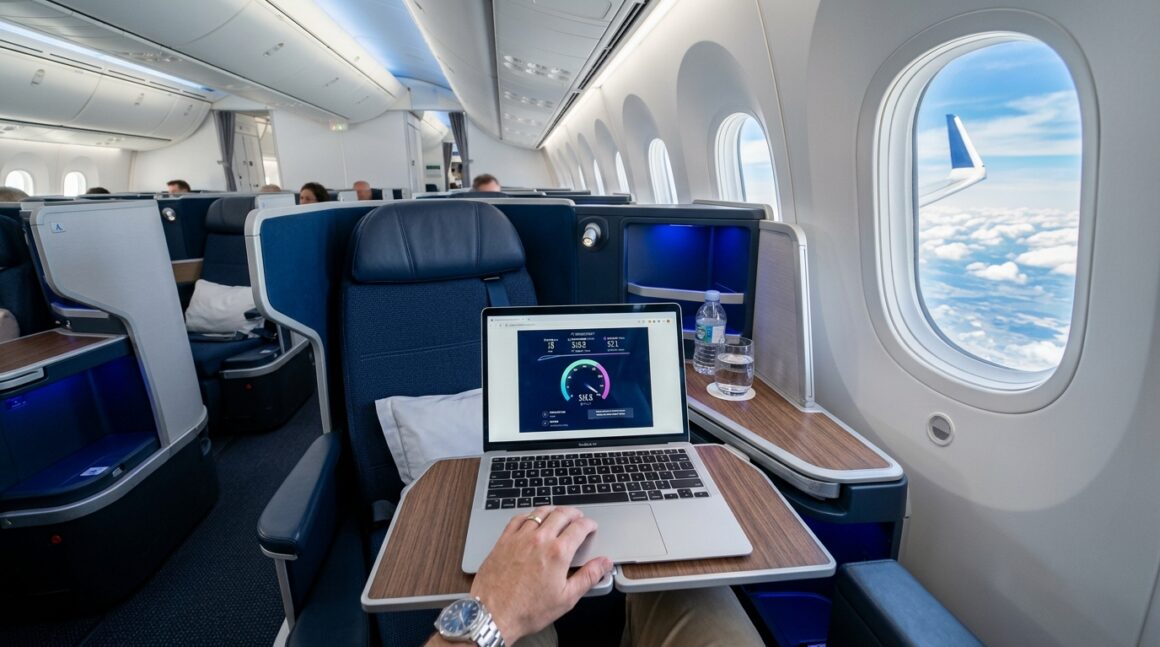
Recent testing across the fleet shows individual passenger speeds averaging 25-40 Mbps down and 5-10 Mbps up, with latency consistently staying under 30ms.
That latency figure is the real game-changer. Legacy satellite systems use geostationary satellites orbiting 22,000 miles above the Earth, resulting in ping times of 600ms or worse. Starlink uses Low Earth Orbit (LEO) satellites just 300 miles up. This means the delay between clicking a link and the page loading is practically zero. Live gaming works flawlessly. High-definition YouTube streams load instantly without buffering, even on fully loaded flights.
Perhaps the biggest technical victory is the restoration of polar coverage. The old geostationary satellites simply could not see aircraft flying over the extreme northern latitudes. Flights to Tokyo (HND) and the US West Coast suffered from notorious multi-hour Wi-Fi blackouts over the Arctic. Starlink’s polar satellite mesh has completely eliminated these dead zones. You now get an uninterrupted signal from Heathrow all the way to Haneda.
The VoIP controversy: Teams calls in Club Suite
British Airways quietly unblocked VoIP protocols over the Starlink network in early 2026, meaning passengers can now make live WhatsApp, FaceTime, and Microsoft Teams calls directly from their seats.
Traditional cellular network calls remain strictly banned by aviation authorities, but internet-based voice calls are now technically possible and entirely unblocked. This has caused immediate friction in the cabin. Frequent flyers are increasingly frustrated by passengers holding loud business meetings or video-calling relatives at 35,000 feet.
In response to the backlash, BA has introduced “quiet zones” in the Club Suite cabins. Cabin crew are instructed to ask passengers taking long voice calls to keep their voices down or move to the galleys. In practice, enforcement is highly inconsistent. Some crew members shut down loud talkers immediately, while others ignore the noise entirely. If you are hoping to sleep on a daytime flight, noise-cancelling headphones are now an absolute necessity.
Practical tips to maximise your Starlink connection
Getting the most out of your £17.99 purchase requires a bit of preparation, specifically around bypassing device limits and avoiding cabin noise.
Use a travel router for multiple devices
BA’s £17.99 pass is strictly for one device at a time. If you want to work on your laptop while streaming Spotify on your phone, you are expected to buy two passes. You can bypass this entirely by bringing a pocket travel router, like the GL.iNet Beryl. Connect the travel router to the BA Starlink network, authenticate the portal once, and the router will broadcast a private network to all your personal devices simultaneously. This single trick saves you £17.99 every time you fly with multiple devices.
Link your Executive Club account on the ground
To access the free messaging tier, you must log in with your Executive Club credentials. Do this on the BA app while you are still in the airport lounge. Trying to reset a forgotten password or retrieve a username at 35,000 feet over a throttled login portal is an exercise in misery.
Seat selection strategy to avoid VoIP callers
If you are flying in Club Suite and want to avoid the new wave of passengers taking Teams calls, aim for the smaller rear mini-cabins. For example, rows 15 to 17 on the A350-1000 are separated from the main business cabin. Crew presence is generally higher near the rear galleys, and the “quiet zone” etiquette is naturally better enforced in these smaller, more intimate spaces.
How British Airways compares to Qatar Airways and Virgin Atlantic
British Airways falls significantly short of Qatar Airways’ completely free Starlink offering, though it beats Virgin Atlantic’s slower Viasat system on raw technical performance.
Qatar Airways completed its fleet-wide Starlink rollout earlier this year, and the Doha-based carrier offers the service 100% free to every passenger on board, from First Class right down to the back row of Economy. If you are flying on a joint business route to the Middle East or Asia, BA’s £17.99 charge feels incredibly stingy when you could have flown Qatar for the exact same ticket price and received the Wi-Fi for free.
Virgin Atlantic, meanwhile, relies heavily on Viasat. While Viasat offers decent download speeds of around 10-15 Mbps, it suffers from the high latency of geostationary satellites. Virgin passengers cannot effectively play live games or make the VoIP calls that BA passengers now can. Virgin charges £14.99 for a full flight. It is slightly cheaper than BA, but the technology is a generation behind.
Our honest verdict
The Starlink technology itself is flawless, but British Airways’ decision to monetise it so aggressively leaves a sour taste, especially when they encourage passengers to waste Avios at terrible rates.
The speeds are genuinely impressive. Being able to stream video and work seamlessly across the polar routes fixes one of the biggest annoyances of long-haul travel. But charging £17.99 for a single-device connection when partner airlines offer it for free is a tough pill to swallow in 2026. The unblocking of VoIP calls is also a mixed blessing; it is brilliant for staying connected, but a nightmare for cabin ambiance.
If you need to work, pay the £17.99 on your BA Amex and enjoy the speed. Just do not let the slick portal graphics trick you into burning 3,600 Avios for the privilege.
For more strategies on maximising your points and navigating premium cabins, explore more guides on Points Uncovered.


You May Also Like
Should I Use Avios On Long-Haul Economy Flights?

Hampton by Hilton Gdansk Old Town